Pulse: one assistant across the workspace
I designed Pulse’s concept, interface, and interaction flows: an AI assistant that brings scheduling tools and workspace context into one persistent entry point.
Role
Lead Product Designer
Stage
Exploration and test

The challenge
People had to navigate between booking pages, sign-up sheets, polls, and meetings to get things done. The system already held relevant context, but people still had to find the right tool and initiate the work themselves.
My approach
I explored a persistent assistant at the bottom of the screen, available across the product. People could find information, start creating, or manage existing items from one place. I designed the concept, interface, interactions, and flows around the context already available in calendars, contacts, transcripts, and connected tools.
How Pulse helps
Understand your day
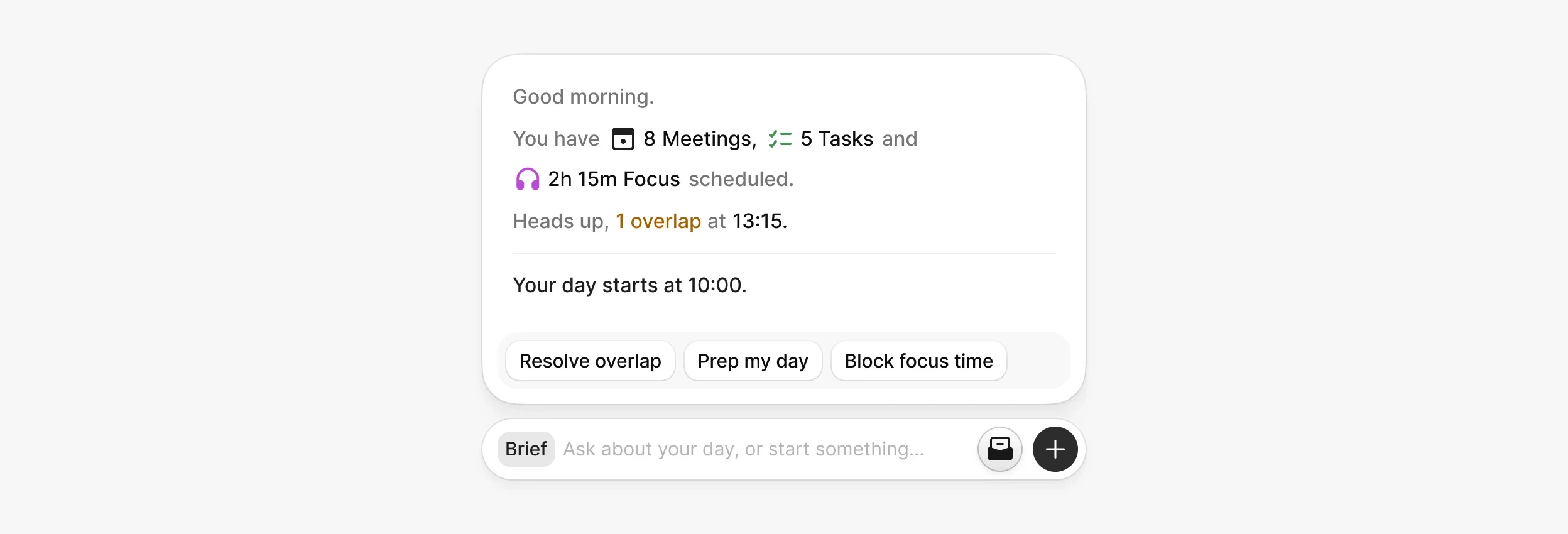
I designed the brief to show when the day starts, what is scheduled, and where meetings overlap. Suggested actions and prompts lead into moving meetings, resolving overlaps, or blocking focus time, so the overview becomes a practical starting point.
Coordinate a meeting
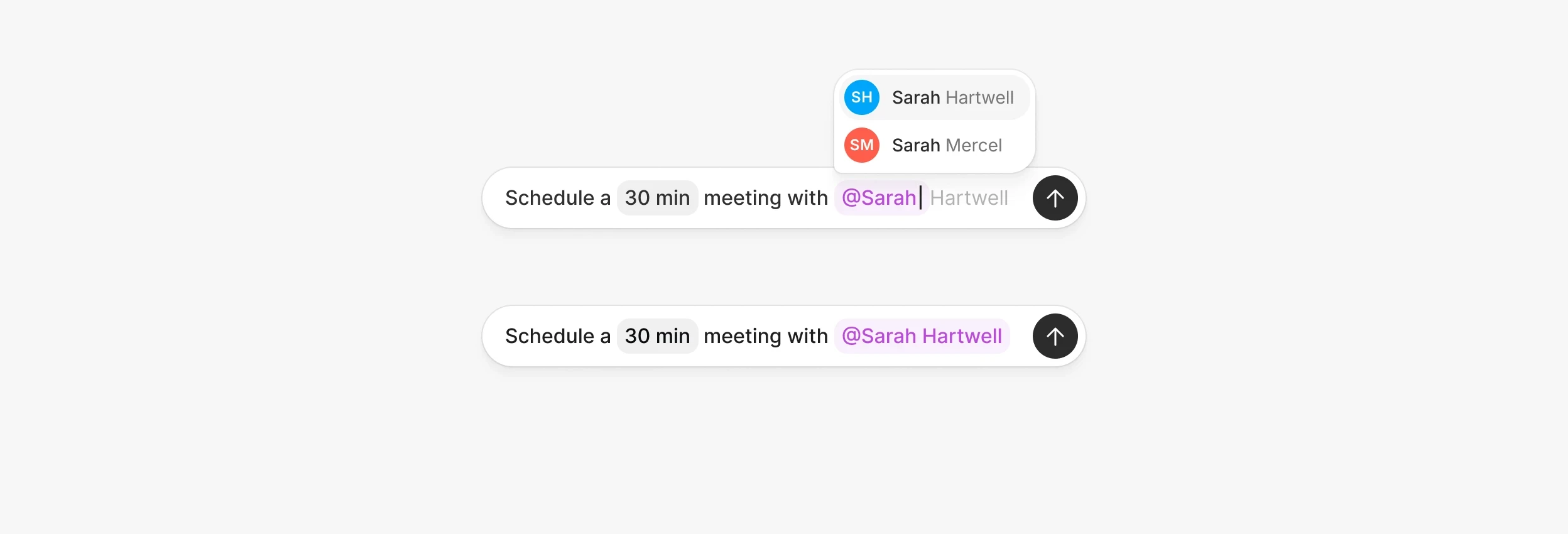
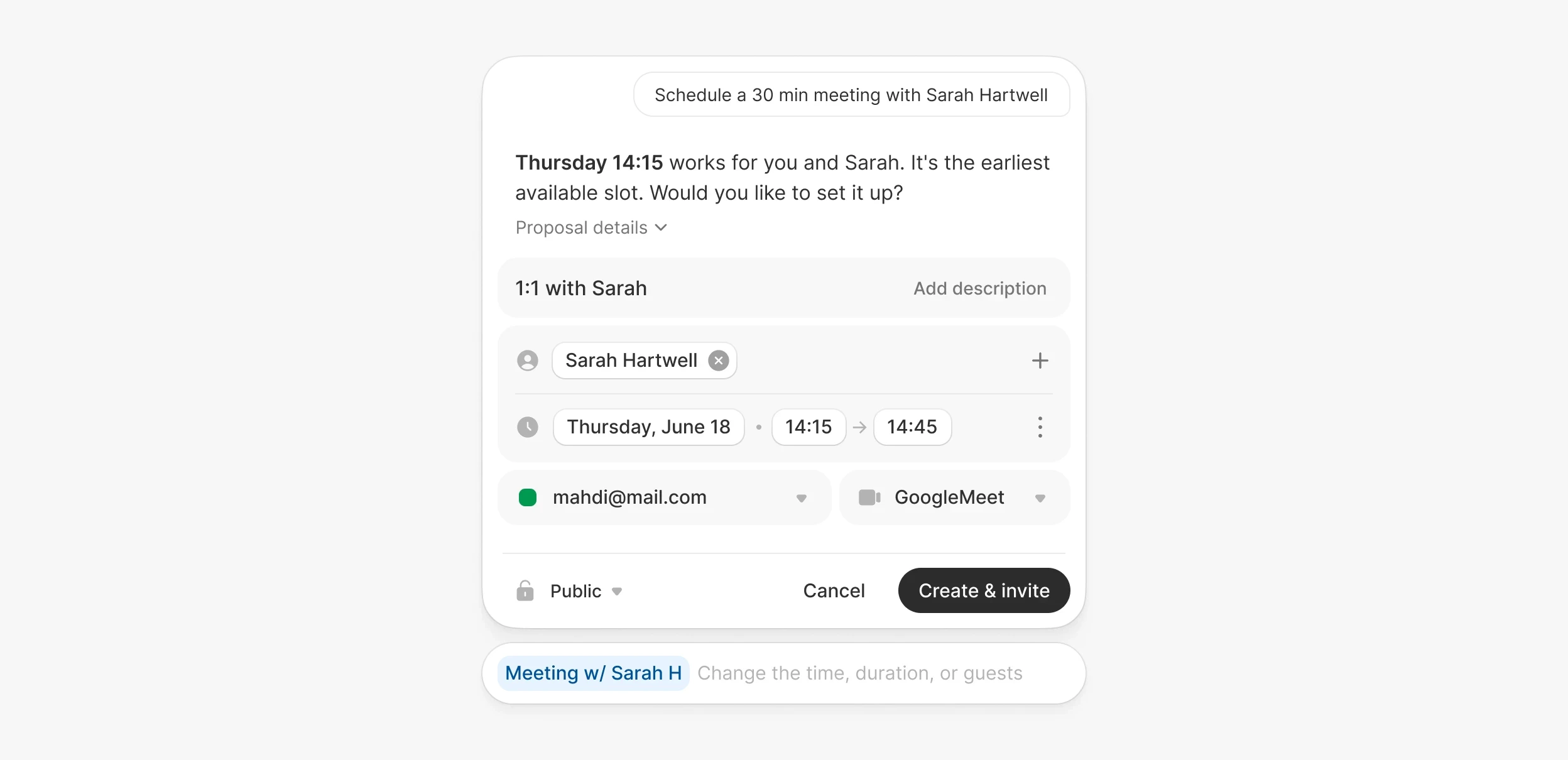
Pulse would find mutual availability for one person or a group. A person chip identifies who is involved; details such as “Tuesday, earliest slot” narrow the search. The result is an editable meeting proposal.
Choose the person, review the time, then confirm the invitation.

Make time to prepare
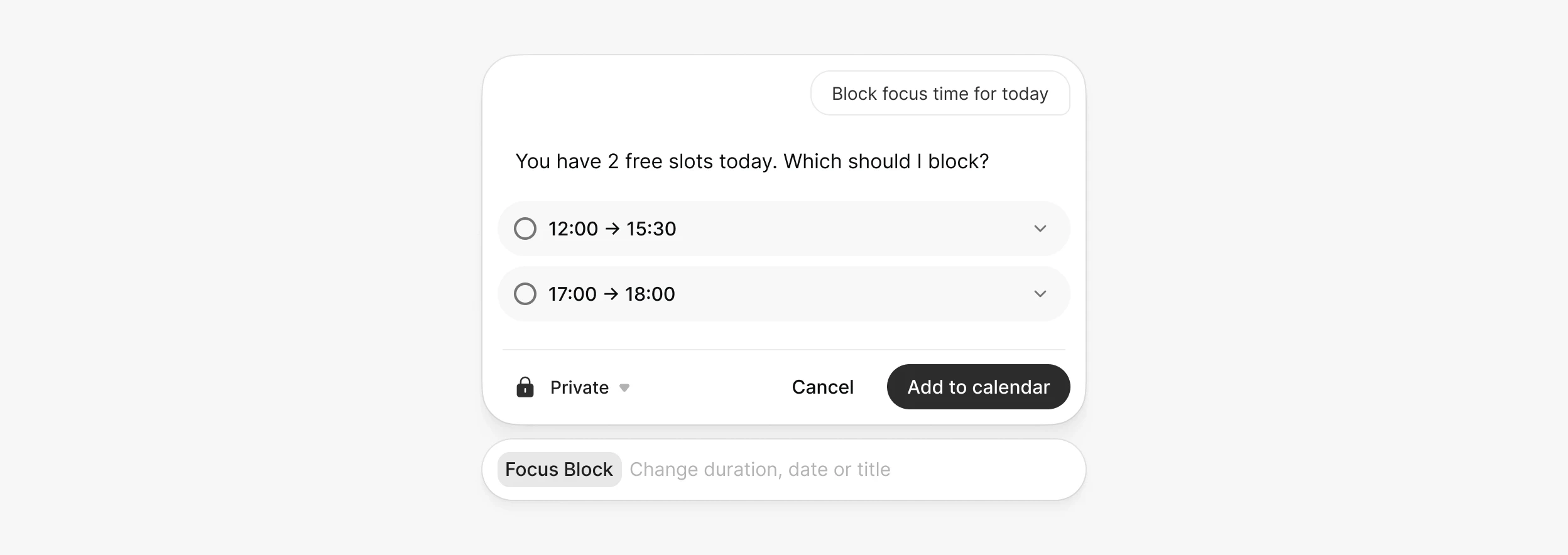
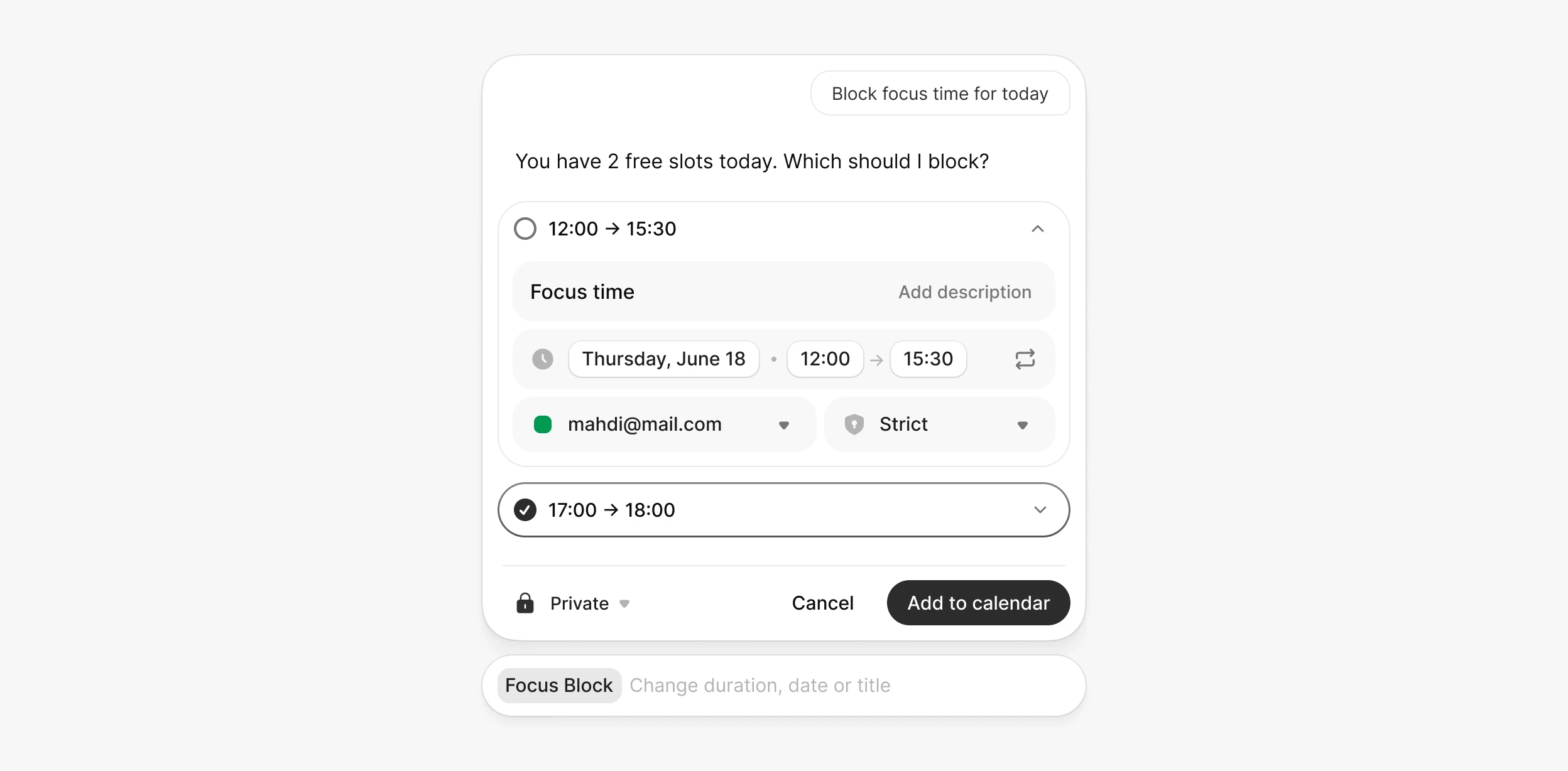
I explored using preparation mentioned in transcripts or connected emails to suggest focus time. The system can relate follow-up meetings through topics, participants, and their roles. Pulse would remind people about possible preparation and offer available slots, either from this context or a direct request.

What needs validation
The work defines the assistant’s concept, interface, and flows. Next, I would test whether it reduces scheduling effort, offers relevant preparation suggestions, and makes proposed changes clear. These benefits remain unvalidated.
© 2026 — Mahdi Mohrehchi